
Pattern Conductor
Product brief
Make patterns on the instruments you love and turn them into songs in Ableton Live.
Who it’s for
If you love making beats on a drum machine but find yourself reaching for a soft synth when it’s time to finish a track, Pattern Conductor is for you. It brings the patterns you’ve made on supported hardware into the same Ableton Live Set where you build the song.
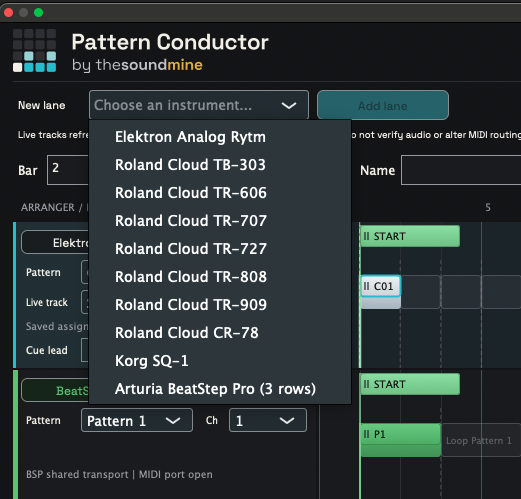
Build the opening beat on your Elektron Analog Rytm, then layer a rhythm and a bassline sequenced by the Arturia BeatStep Pro. Bring in a drum variation from the Roland Cloud TR-707 Software Rhythm Composer at the chorus. For the break, drop the extra drums and let an acid line from the Roland Cloud TB-303 Software Bass Line take over.
What it does
Give each part its entrance
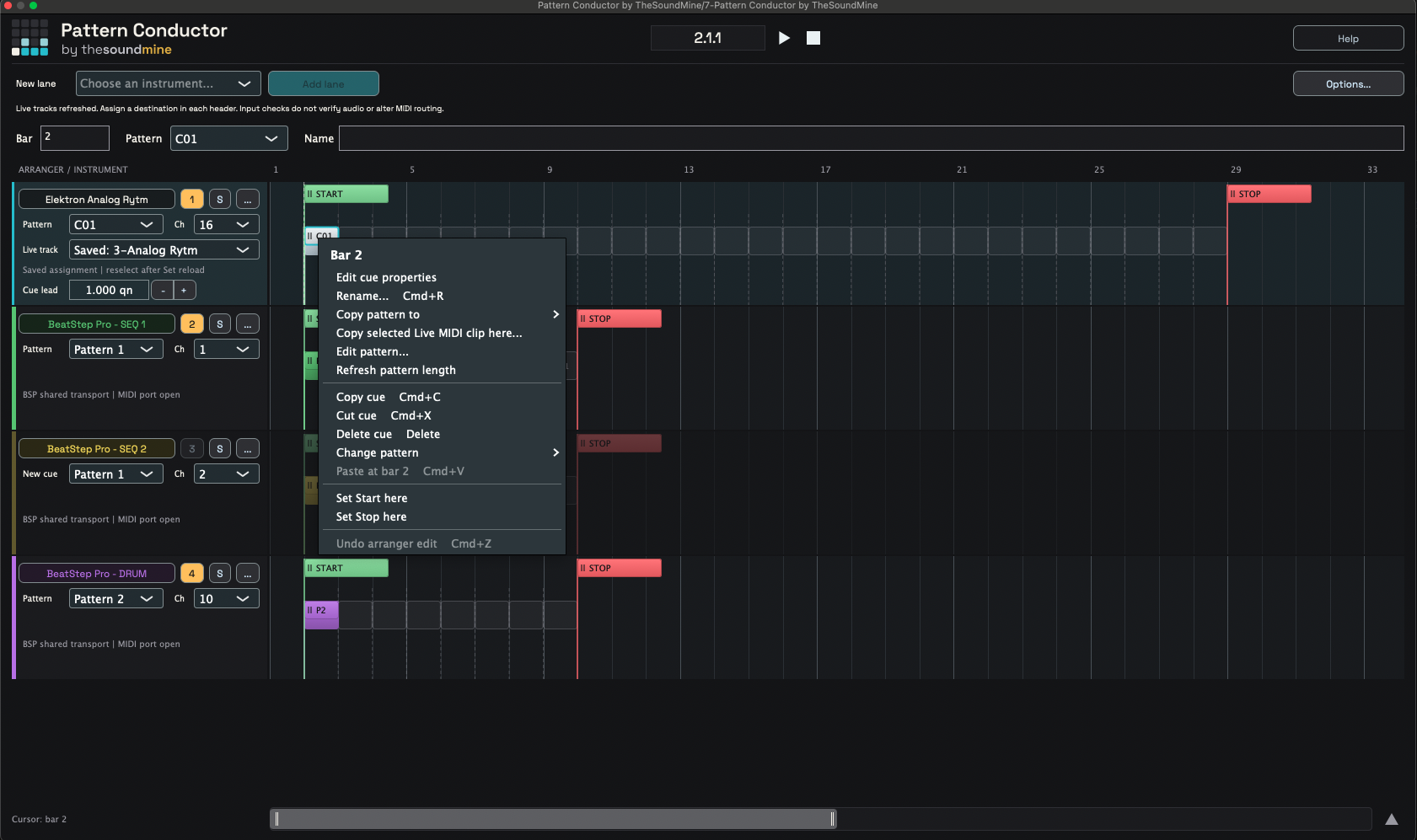
Set pattern changes by bar for up to eight lanes. Add start and stop cues where supported, then let Ableton Live run the arrangement while you shape the sounds. The Arturia BeatStep Pro rows share transport. Your pattern choices and device settings are saved with the Live Set.
Make a variation while the idea is fresh
Open a supported pattern from the Elektron Analog Rytm or Arturia BeatStep Pro. Move a few drum hits or change the shape of a bassline, then save the edit back to the hardware when you’re ready. Supported writes back up the destination and verify the result.
Reuse a groove in a new part
Copy the hits and timing from a drum pattern on your Elektron Analog Rytm to the Arturia BeatStep Pro drum sequencer, then use it to trigger a second kit. You can also copy patterns between supported device slots and MIDI clips in Ableton Live through the included bridge. Preview where the hits will land before you write the new pattern.
Compatibility
| Environment | Supported workflow |
|---|---|
| macOS on Apple Silicon | Current packaged VST3. Native MIDI and instrument profiles are built for this release. |
| Ableton Live | VST3 host for arrangement playback. Install the included Control Surface bridge for clip access, track assignments, and supported transport controls. |
| Elektron Analog Rytm | Program Change cues, Direct MIDI, and stored-slot reads and writes for native V5 patterns. |
| Arturia BeatStep Pro | Three arranger rows, shared transport, scoped reads and writes for Project 1, and reviewed DRUM transfer. |
| Korg SQ-1 | Clock and transport for the hardware sequence. Pitches and playback order are set on the sequencer. |
| Roland Cloud profiles | Profile-specific variation and transport messages for supported instruments, routed through dedicated Ableton Live tracks. |
| Behringer PRO-1, Behringer 2600, Ashun Sound Machines Hydrasynth Desktop | Useful alongside the rig via standard MIDI, CV where appropriate, and audio routing. Configure them in Ableton Live or on the sequencer as sound sources. |
Workflow limits
- Record hardware audio in real time. Offline rendering in Ableton Live cannot drive external MIDI or virtual ports.
- Native edits preserve supported device data. MIDI transfers translate notes and timing, so sound locks, parameter locks, conditions, and effects may be lost.
- Native editing on the Arturia BeatStep Pro targets saved Project 1. Auto-sync and project or scene switching are outside the supported workflow.
- Routing checks inspect reported MIDI settings. Listen and record a small test before relying on a new hardware route in a set.
Access and setup
Try Pattern Conductor for 30 days on one device. Create an account and verify your email to claim your trial. The 30 days start when the plugin first activates. Download the Apple Silicon VST3 and follow the setup guide to confirm your first cue.
Help us test more hardware, DAWs, and operating systems. Join the private beta testing list.