
 Pattern Conductor
Product roadmap
Your hardware. Your patterns. One arrangement. We’re building toward a studio where you can write on the machines you love, arrange a whole song, and come back to it tomorrow without rebuilding the setup.
Available today
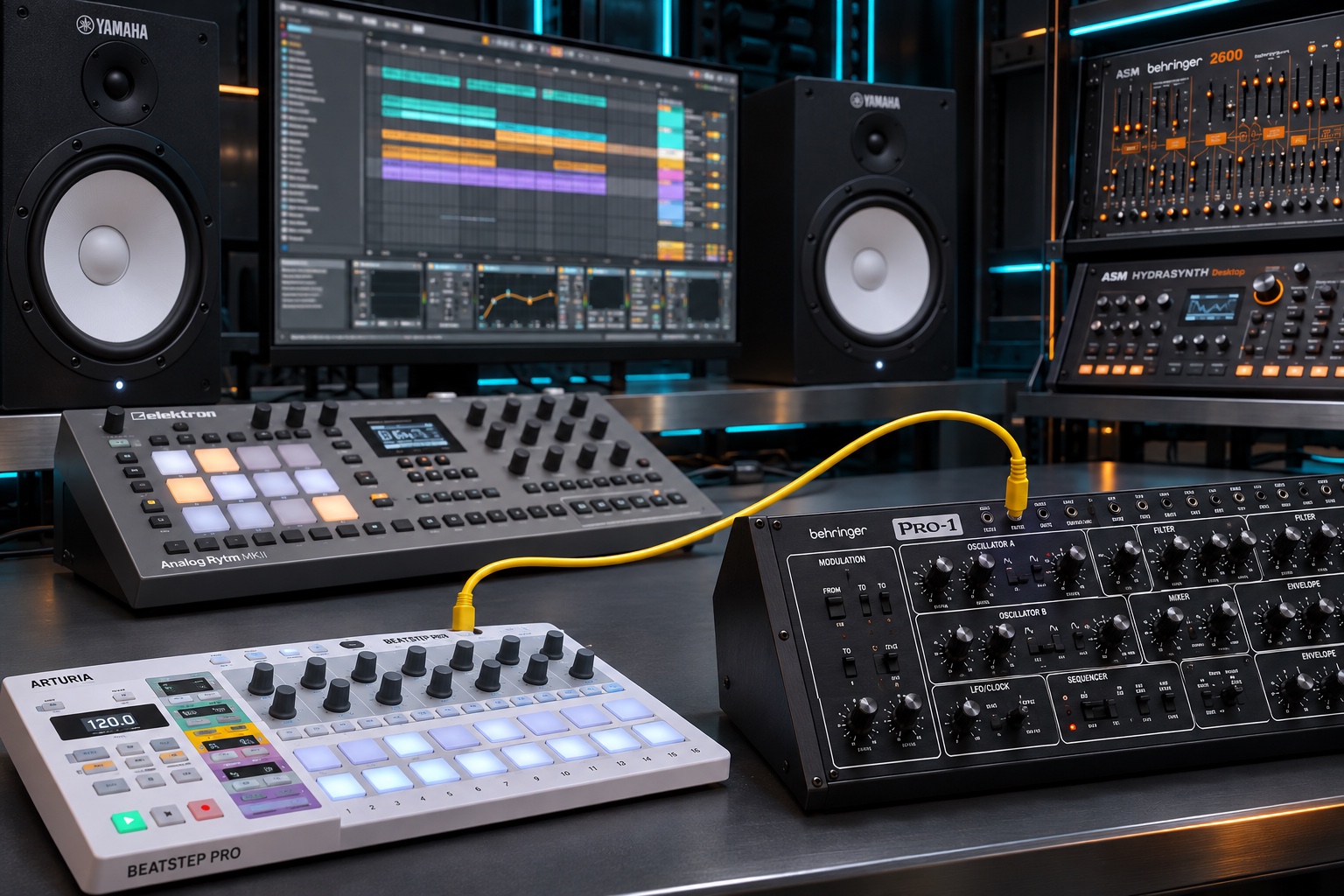
Arrange hardware patterns in Ableton Live on an Apple Silicon Mac. The current build has dedicated workflows for the Elektron Analog Rytm and Arturia BeatStep Pro.
Check current compatibilityNext testing focus
Keep a hardware arrangement together when you jump into the middle of a song, loop a section, record a take, or reopen the project.
See the timing and recall goalsFuture platforms
Windows, additional DAWs, more hardware profiles, and standalone operation are planned or under consideration. Each setup needs its own validation.
Explore testing setupsFrom first beat to live performance
These phases show the direction of the product. What we learn from testing will help determine their order and scope.
-
Build a dependable arrangement
Put stored hardware patterns on the song timeline, work with different pattern lengths, prepare changes before they’re needed, and save the arrangement with the project.
What we’re testing Reopen a song and record a new hardware pass with the intended pattern changes in place.
-
Bring more of the rig into one song
Arrange drum patterns on an Elektron Analog Rytm MKII alongside sequences on an Arturia BeatStep Pro. Keep direct CV and gate connections to instruments such as the Behringer PRO-1 or Behringer 2600.
What we’re testing Bring a device in, leave space for a break, and restart a sequence at the right bar. Independent start and stop depend on the device.
-
Make timing and recall more dependable
Explore guided calibration for hardware that needs a head start before changing patterns. Add clearer routing checks and flag transitions a device may struggle to make.
What we’re testing Start from a later bar, loop across a transition, and compare repeat takes over USB MIDI and DIN MIDI. The goal is to distinguish a consistent delay from timing that varies between passes.
-
Expand instrument support
Prioritize hardware that musicians already use and that testers can put through real sessions. Each profile needs to reflect the instrument’s pattern, transport, and timing capabilities.
How we’ll validate it Verify what the instrument can select, start, stop, edit, or recall on its own.
-
Run in more DAWs and on more platforms
Keep Ableton Live as the reference while evaluating other hosts and a Windows build. Each host needs tests for MIDI routing, playback, recording, and saving and reopening a project.
How we’ll validate it Run the same arrangement in each new host and document which workflows work there. Standalone operation is a longer-term goal.
-
Take the arrangement onstage
Explore reusable song sections, hands-on scene changes, fills that return to the main groove, and controller mapping. The longer-term idea is to launch coordinated changes across the rig while you play.
What we want to try Bring in a fill, switch sections on a musical boundary, and return to the arrangement from a controller.
Hardware and DAW testing
Here’s where your studio can help. Sign up with the exact versions and instruments you have so we can match you to a build when it’s ready.
Hardware
- Reference rigs
- Elektron Analog Rytm MKII and Arturia BeatStep Pro.
- Early research
- Elektron Digitakt and Digitakt II, Elektron Digitone and Digitone II, Elektron Syntakt, Elektron Analog Four, and Arturia KeyStep Pro.
- Later candidates
- Elektron Analog Rytm MKI, Elektron Octatrack, Roland TR-8S, Roland TR-6S, and the Arturia DrumBrute family.
DAWs and platforms
- Current test setup
- Ableton Live on macOS with Apple Silicon.
- Early candidates
- Windows testing, Bitwig Studio, and Logic Pro.
- Further candidates
- Cubase, REAPER, and FL Studio. Standalone is a separate development goal.
Test it with a song you know
A short arrangement is enough. Tell us what should happen when a part comes in, when a pattern changes, and when you reopen the project. A few bars with a clear result are more useful than a long session with steps that are hard to reproduce.